r800zzvrplayer for PICO/Meta Ver 1.0
We fixed many bugs in version 1.0.
New type VR video player , VR180 , DLNA , chroma key , Alpha(DeoVR/WebM VP9) , Passthrough in VR
English
Русский
Español
ภาษาไทย
中文
한국어
日本語
vr180g.com
Update 11 OCT 2026 (Ver 1.0 , APK Update 11 OCT 2026)
PICO VR
Related App :
R800ZZbrowser for PICO/Meta(chroma key , AR , WebXR , VR180)
Android OpenXR Cross-Platform
Ported from the PICO APK to an Android OpenXR APK.
The same APK works on both PICO and Meta devices.
Rotate the VR space of a VR video in real time. The idea is that, as a result, you could control the avatar's movement.
General idea of watching VR videos with VR HMD :
The orientation of the VR space is fixed, enjoy by moving your head.
Sit and look in the horizontal direction.
Concept of this application :
In addition to enjoying by moving your head
play by moving the avatar with the stick key.
You can watch while lying down facing the ceiling.
Building an ecosystem.
Integration with 3DCG.
Within the ecosystem, chroma key VR video creation software and various 3DCG tools are provided.
Download : r800zzvrplayer1.0.apk(APK Update 11 OCT 2026)
The actual background shows your room.
- Developer : R800ZZ
- Supported devices : PICO 4 Ultra , PICO 4 , Meta Quest 3/3S/2
- Stand-alone : A PC is not required.
- DLNA-supported : You can play video files from your PC via DLNA.
- Alpha : Packed(DeoVR) / WebM VP9
- Alpha adjustment :
- Price : Free
- The operation of the left controller and the right controller is the same. ?
- Thumbstick Key+Up and down/Left and right : Rotate
- A/X Button : Menu Window On/Off
We recommend VR180 SBS videos with a green background.
Regular videos can also be viewed.
There are sample videos.
Download : r800zz_sample_videos_cloth.zip (Clothed)
.zip files can be extracted with Cx File Explorer.
Cx File Explorer(APKPure)
Convert ordinary videos to chroma-key or alpha videos for background transparency. 1
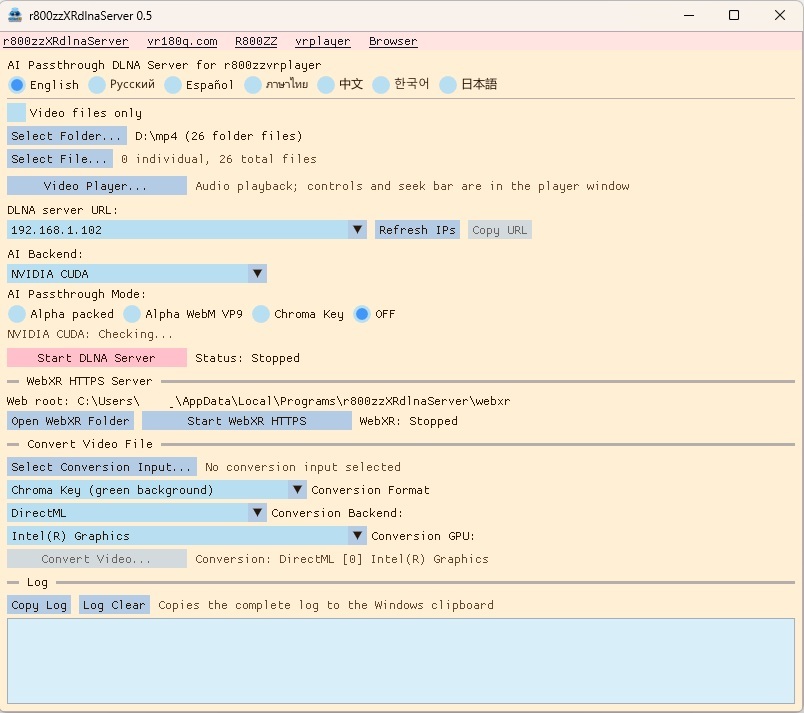
Real-time AI Passthrough DLNA Server for Windows
r800zzXRdlnaServer
 Convert ordinary videos to chroma-key or alpha videos for background transparency. 2
R800ZZ RVM Tools (github)
Convert ordinary videos to chroma-key or alpha videos for background transparency. 2
R800ZZ RVM Tools (github)
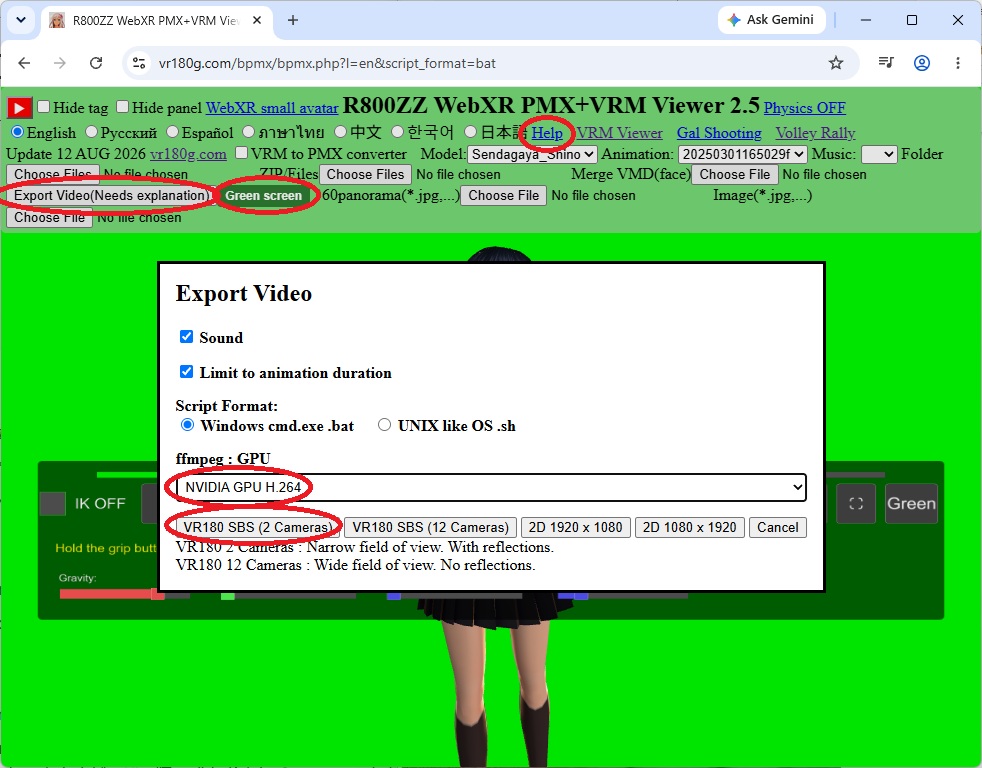
VR180 SBS videos with a green background can be created using
"R800ZZ WebXR PMX+VRM Viewer".
 Development environment
: C++
Closely related sister software (by the same author) :
R800ZZ VR XR Girl Video Player
R800ZZ WebXR PMX+VRM Viewer(new)
R800ZZ WebXR VRM Viewer
R800ZZ WebXR Gal Shooting(new)
R800ZZ WebXR Volley Rally(new)
WebXR Unity,Ayame no meaning
vr180g.com